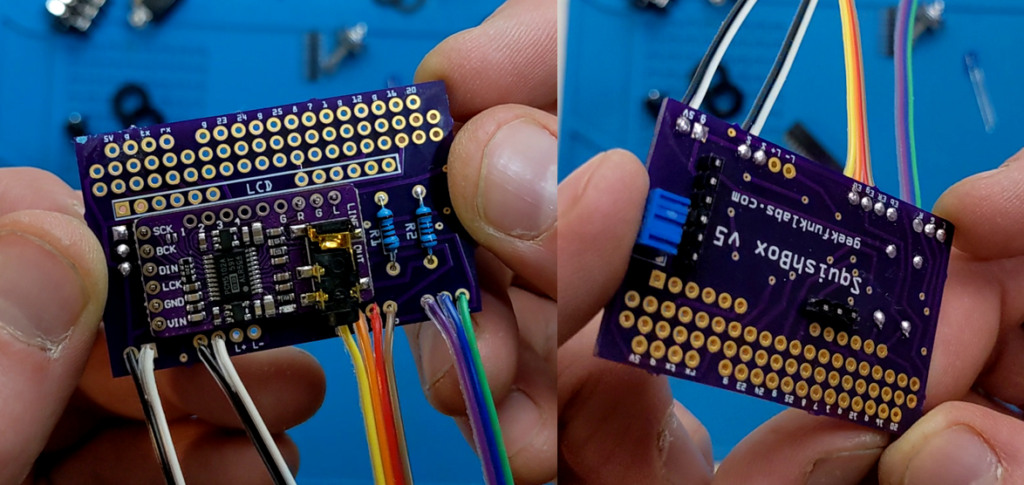
Happy to report the updated SquishBoxes and kits are available in the Tindie store! The new update uses a custom PCB with SMT components, which means no need for a separate break-out board for the DAC, and an on-board switching voltage regulator that provides much steadier and more reliable power for your Raspberry Pi from a standard 9V effects pedal power supply! I also moved the contrast trimmer for easier access, and added a breakout for the Pi’s serial port to allow connection via a USB-TTL serial console cable, or even a possible future expansion to add 5-pin MIDI ports. There are a bunch of software updates on the way as well – stay tuned!
Author: white2rnado
-
New PCB Work
The Tindie store has been out of stock for a bit as I work on updating the PCB and making some adjustments to the code to improve performance (more on the code in a later post). I tried a new version of the PCB that moves the contrast potentiometer to the opposite side, where it can be accessed more easily than sticking a screwdriver between the USB ports. I was also trying to do board-to-board soldering with the audio card so that it would be stacked under the LCD instead of pressed against the Pi, but unfortunately the headphone jack is just too tall to fit under there. I had to chop the jack off with flush cutters. I have wrecked an audio card more than once in the past by doing this, so I won’t sell this board as a kit, I’ll just build 2-3 complete boxes and sell them in the store.
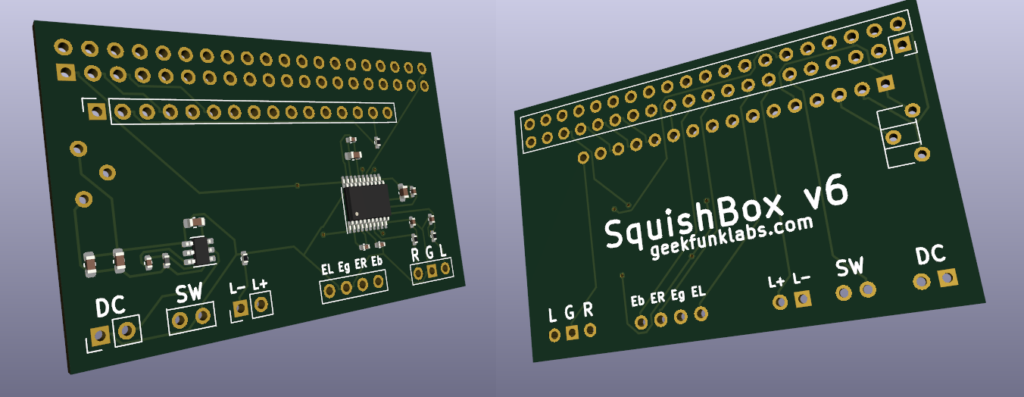
In further PCB development news, I finally learned KiCad so I could design a proper SMD board. This means I don’t have to buy the separate audio cards – I can just put the audio codec chip and supporting components directly on the board. I also added an AP63205 switching voltage regulator, which should make it possible to use a 5V or 9V power supply, and provide a more stable and safe 5V to the Pi. The prototypes should arrive this week, and if all goes well I’ll have these as kits and full builds in the store very soon!
-
Update and Coming in 2023
Here’s where things are at the moment. I made a batch of SquishBox kits and units available in the store, after a short delay waiting for parts and making some (I think) helpful modifications to the enclosure layout and updating instructions to match. They sold so quickly I think I might need to order a new batch of the current PCBs to keep the store stocked while I work on the next hardware update. I also released a new version of FluidPatcher today. This includes some bugfixes and QoL updates to SquishBox, and will probably be the last release before the next major update.
The next thing I’m working on is a big update to FluidPatcher which involves porting the code to Cython. The main reason for this is speed. The custom MIDI event router that makes all the magic happen is plain old Python, and it’s not hard to max out the CPU on a Pi with notes, especially if you have some MIDI files and/or sequences playing at the same time. I’ll also take the opportunity to reorganize the repository into a proper Python package which I can upload to PyPI, which should make installing and updating easier for users.
After that, I want to make an update to the PCB that will use surface-mount components and put the sound hardware (PCM5102) directly on the board, rather than require a third-party external board. I’m also hoping to add a switching voltage regulator to make 9V powering viable, circuitry for optional 5-pin MIDI jacks, and an option to use an OLED screen instead of the 16×2 character LCD.
Looking forward to working on these projects, hopefully I make fast progress – wish me luck and see you in 2023.
-
Vortex Wireless 2 Teardown
I decided to open up my keytar for the purpose of cleaning, but also to see if I could figure out what kind of MCU it has with the idea of possibly writing my own firmware. I’ve got a few reasons for this, mostly to do with the pads. First, when switching between presets on the Vortex, the state of any CC toggle pads depends on the state they were on the previous preset, which is dumb. Worse, the LED state doesn’t update to reflect this, they just always display their OFF color. Each preset should have independent storage of its pad states, so you can flip between them to trigger different loops, effects, etc. This doesn’t seem like it would be hard to code and would just be a few extra bits of memory, so it seems annoying they (Alesis) wouldn’t write the code this way.
I would also like to be able to send MIDI messages to the Vortex to change its pad states, to reflect what’s going on with my DAW or sound module (i.e. SquishBox obv). This could be CC or SYSEX. Finally, like many MIDI controllers, the software for programming the Vortex has no Linux version. I could do what some have done for other MIDI controllers and try to decode the sysex by spying on the data when programming the Vortex from Windows using WireShark, but if I wrote my own firmware I wouldn’t need to.
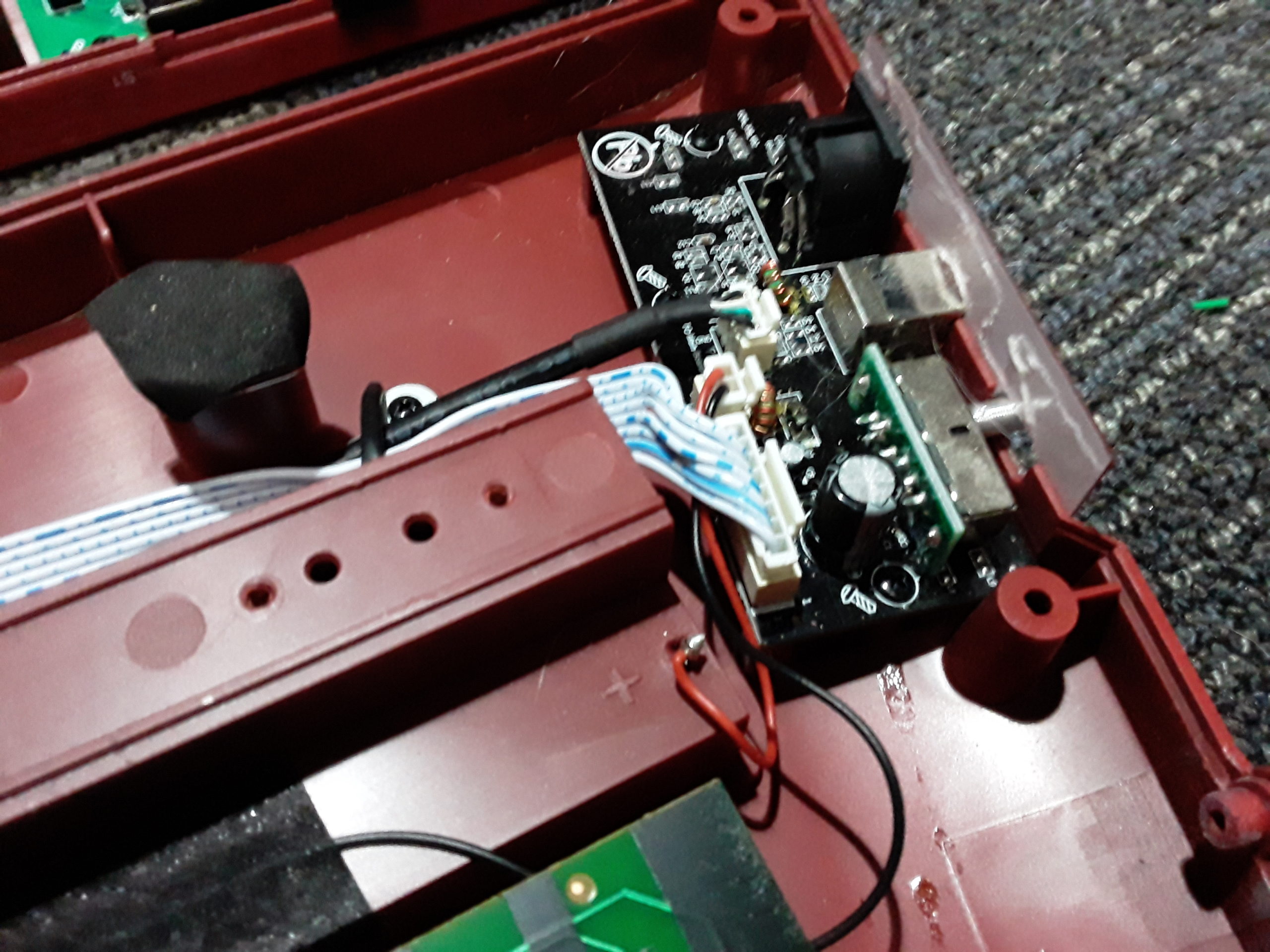
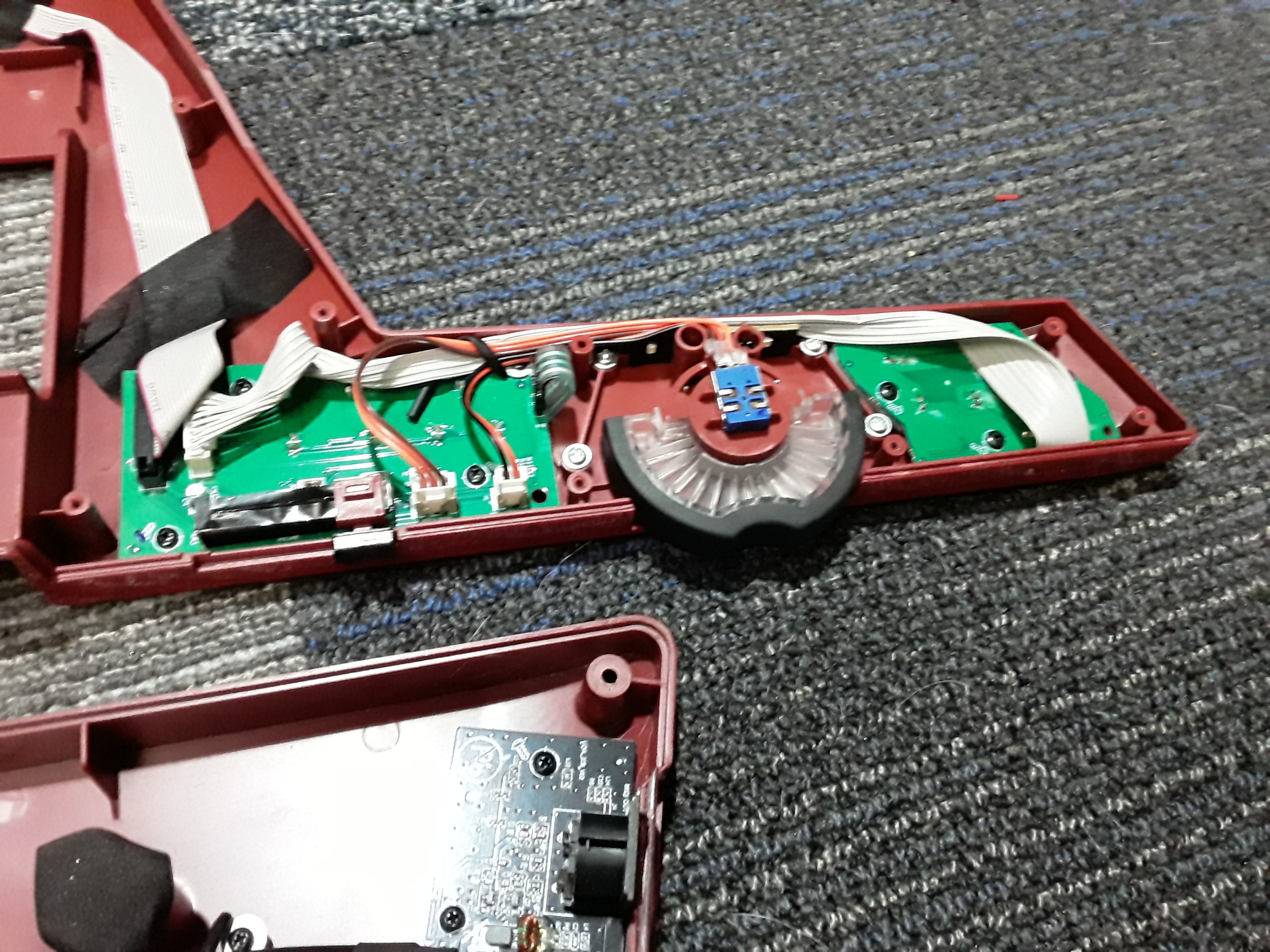
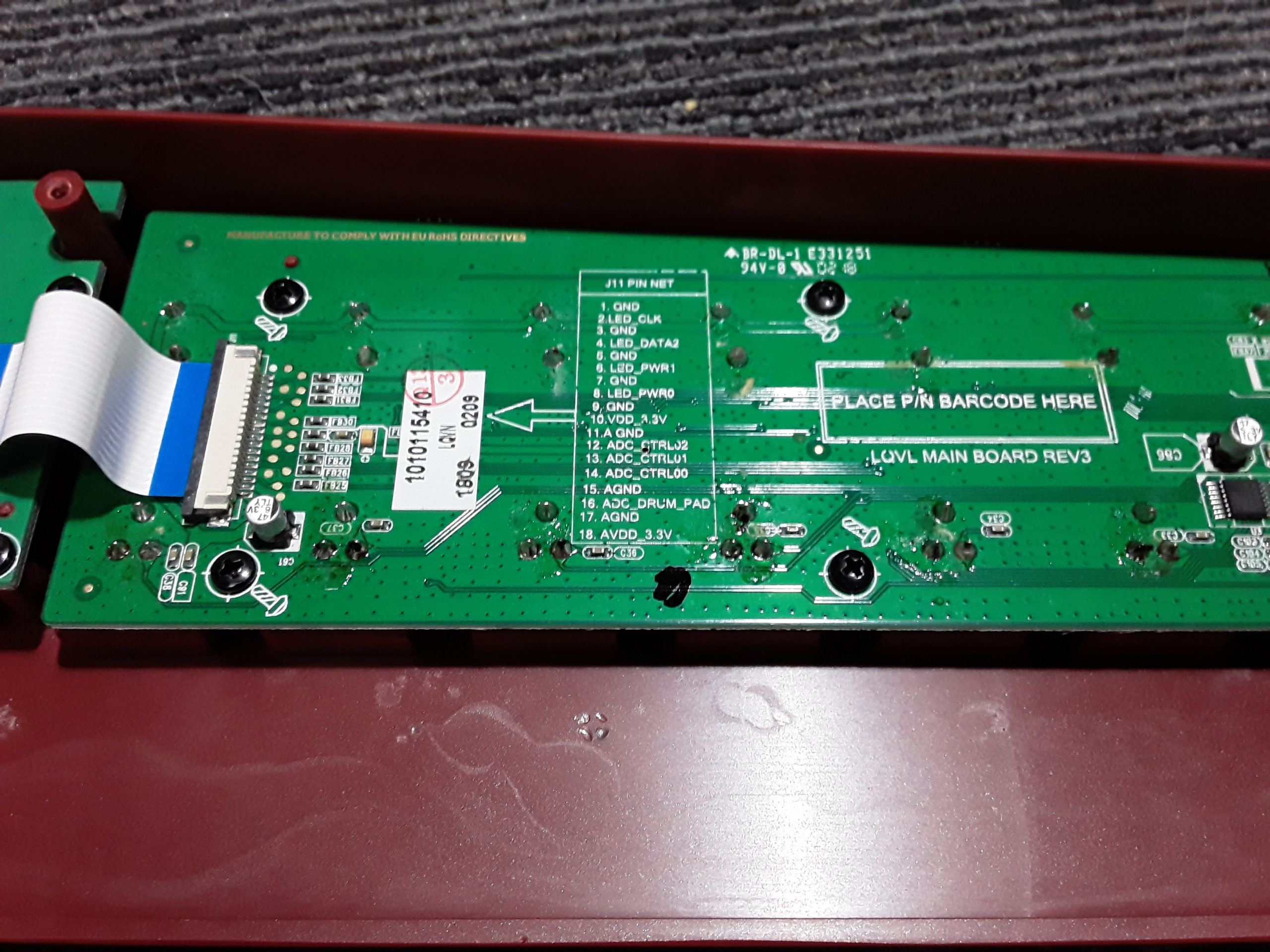
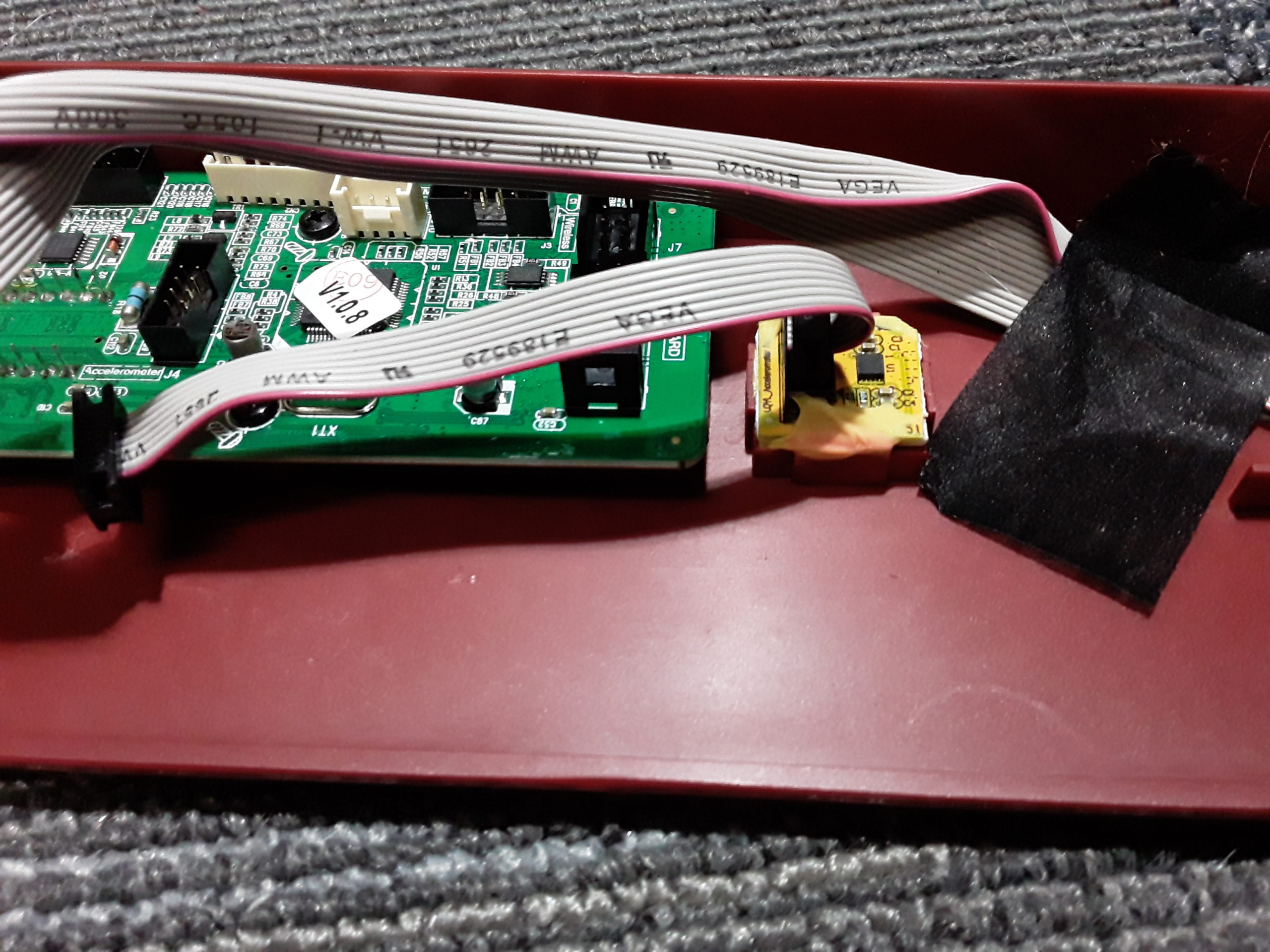
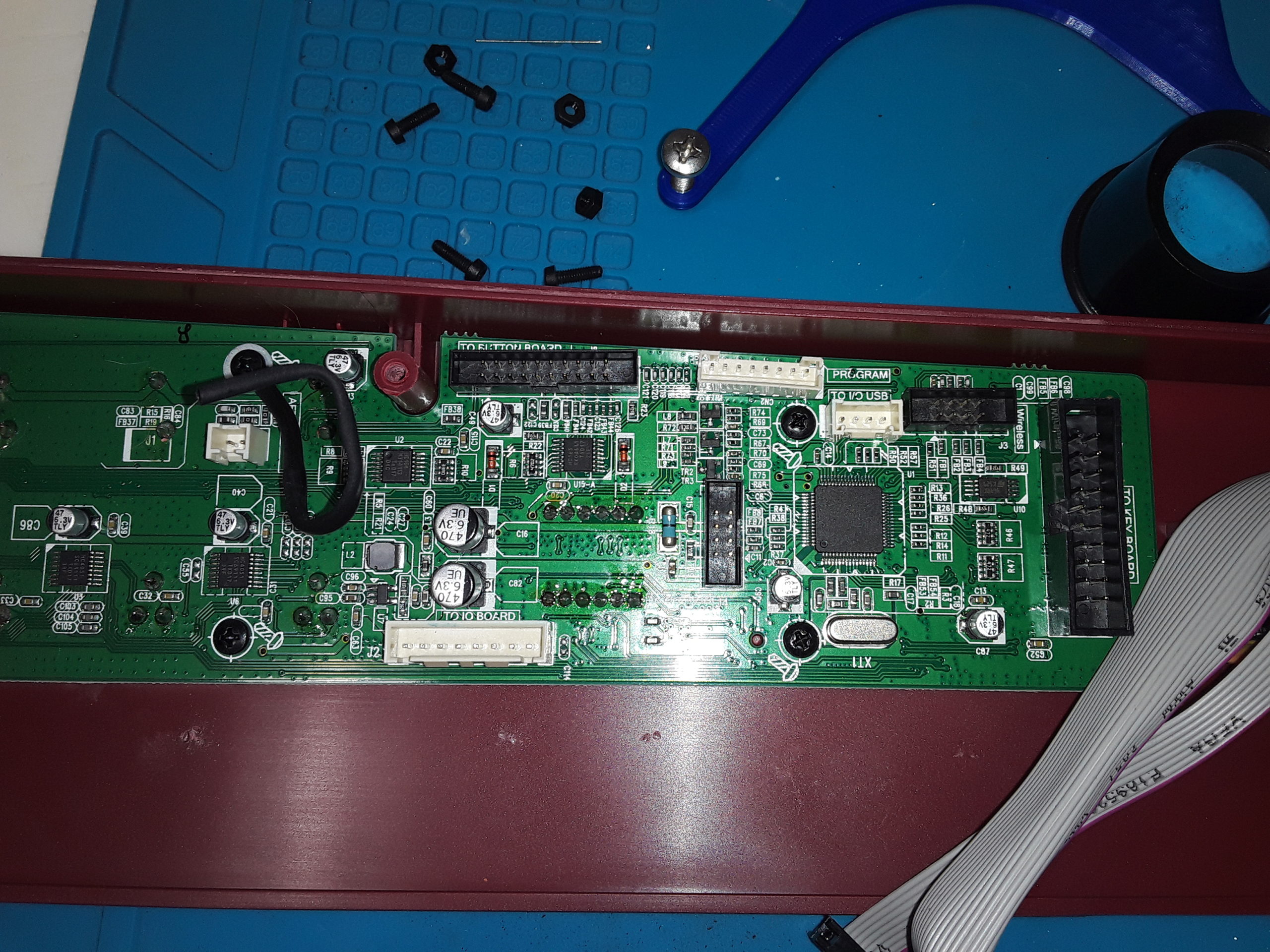
I’m including pictures of the Vortex internals here. Hopefully others will find them useful, even though my budget Samsung phone’s camera is a bit blurry in spots. I did manage to locate the MCU, which turns out to be a fairly run-of-the-mill ARM STM32F103R8 – which web searching tells me you can find nice dev boards and tutorials for. There’s even an 8-pin port labeled “program” broken out on the Vortex PCB, so there might be some slight possibility of me figuring this out. I’d have to figure out how the _many_ peripherals work (wireless USB, accelerometer, various button boards) or reverse engineer the firmware (link provided for my future reference), but maybe someone smarter than me can save me the effort 🙂
Final thought: It’s great that we have lots of USB MIDI controllers available, some very affordably priced, but the software provided for programming them is usually pretty painful. They all seem to work by sending some cryptic sysex messages back and forth that the manufacturer generally won’t bother to share with you. I think the way to make them user friendly would be to design them as dual USB devices – MIDI device+mass storage device with a tiny partition containing an easy-to-parse text file with all the settings. You could still write a user-friendly interface for casual Windows/Mac users, but this would make it easier for power users to write their own interface or change the settings by hand. I could just build my own MIDI controller around a Raspberry Pi Pico that does this exactly. Or manufacturers could at least provide their silly sysex communications protocol in a PDF online somewhere.

all the things 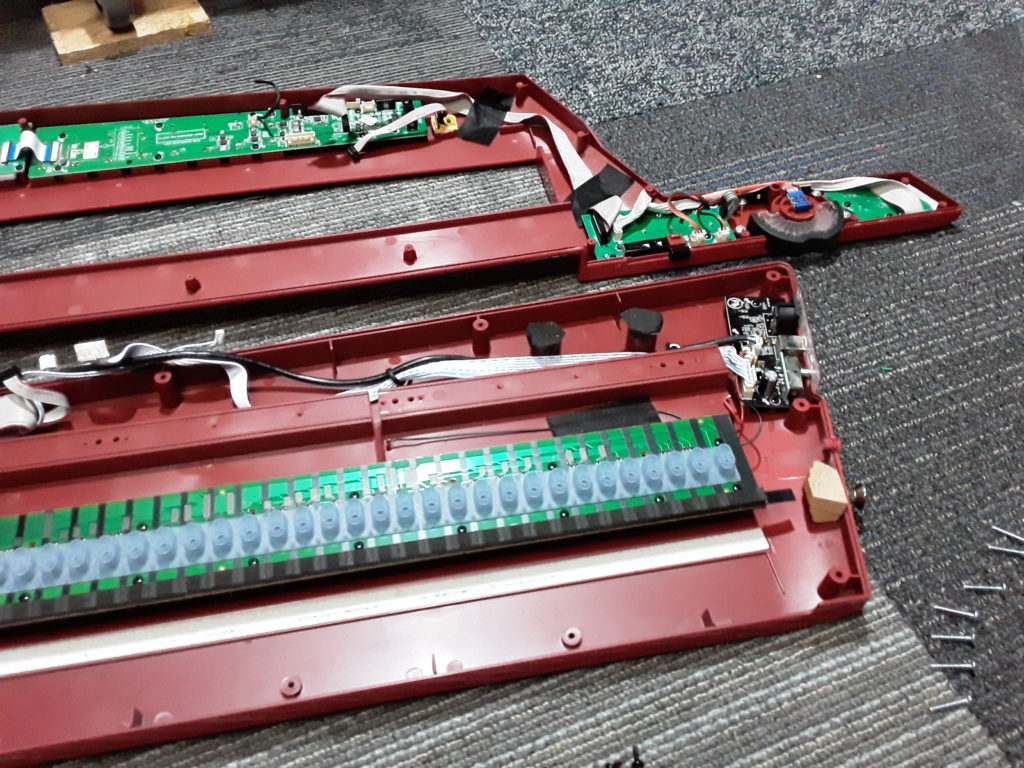
Keybed – you can see the aftertouch is just one long FSR 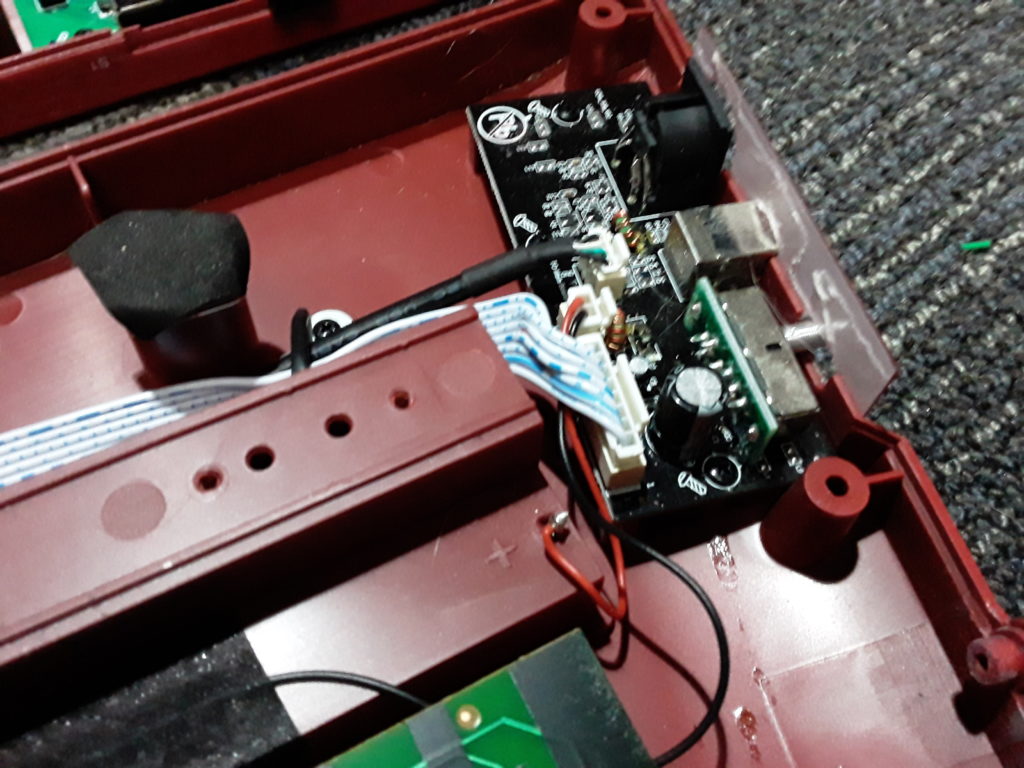
I/O board 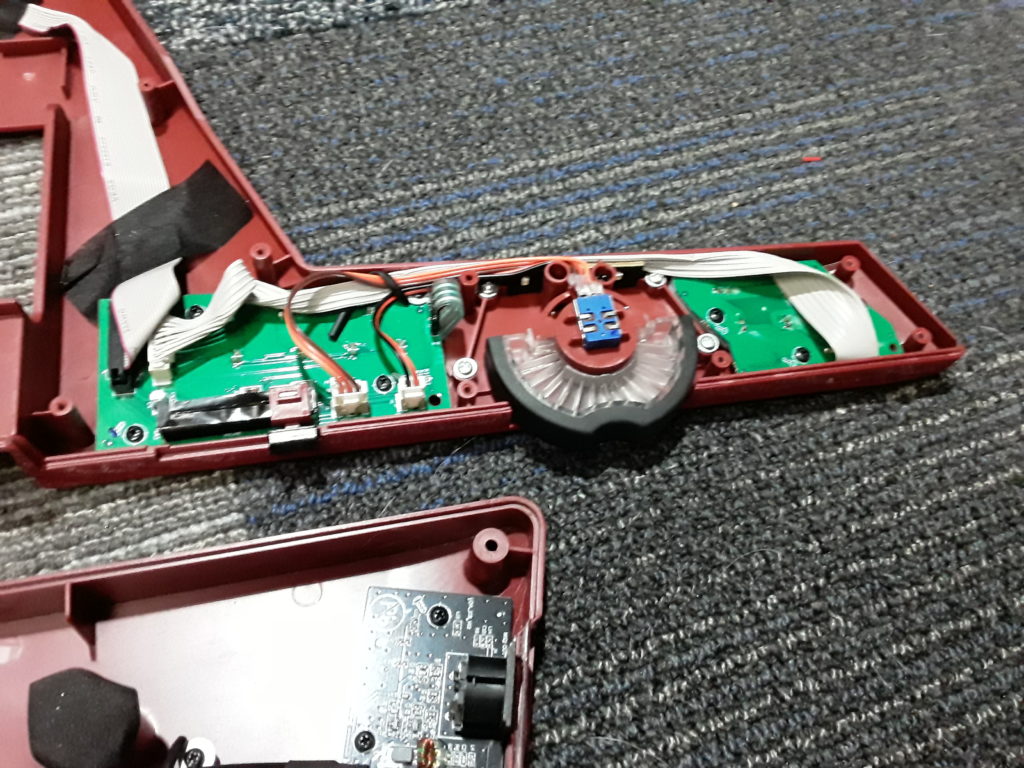
neck controls 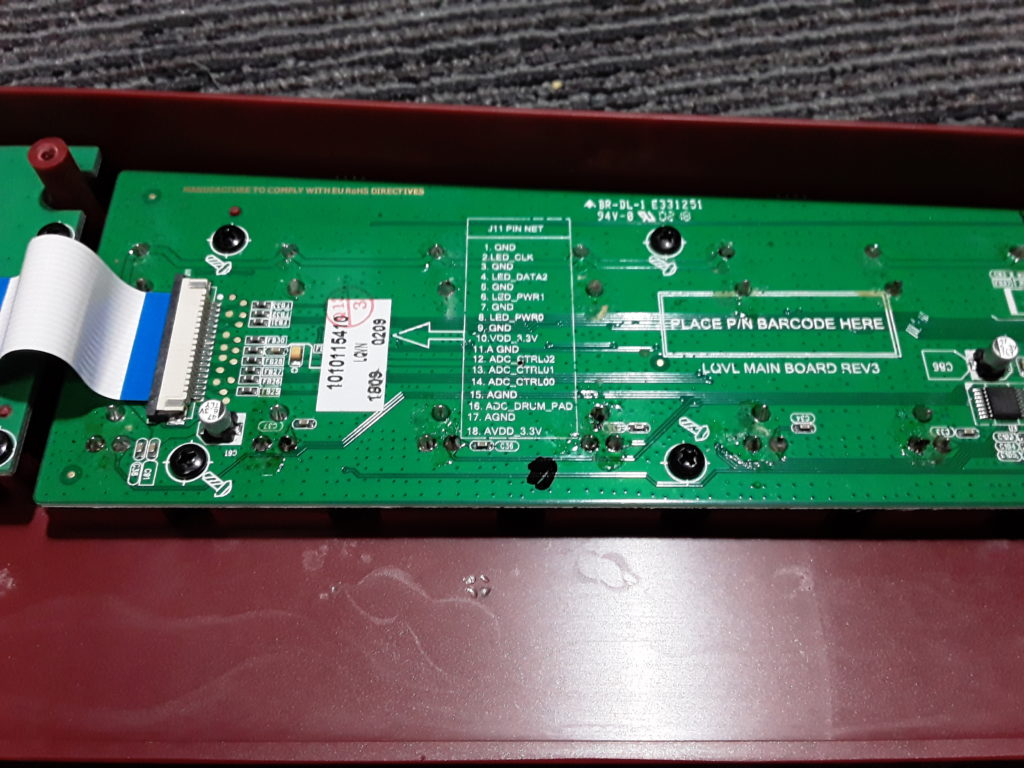
some sort of pinout legend on the main PCB 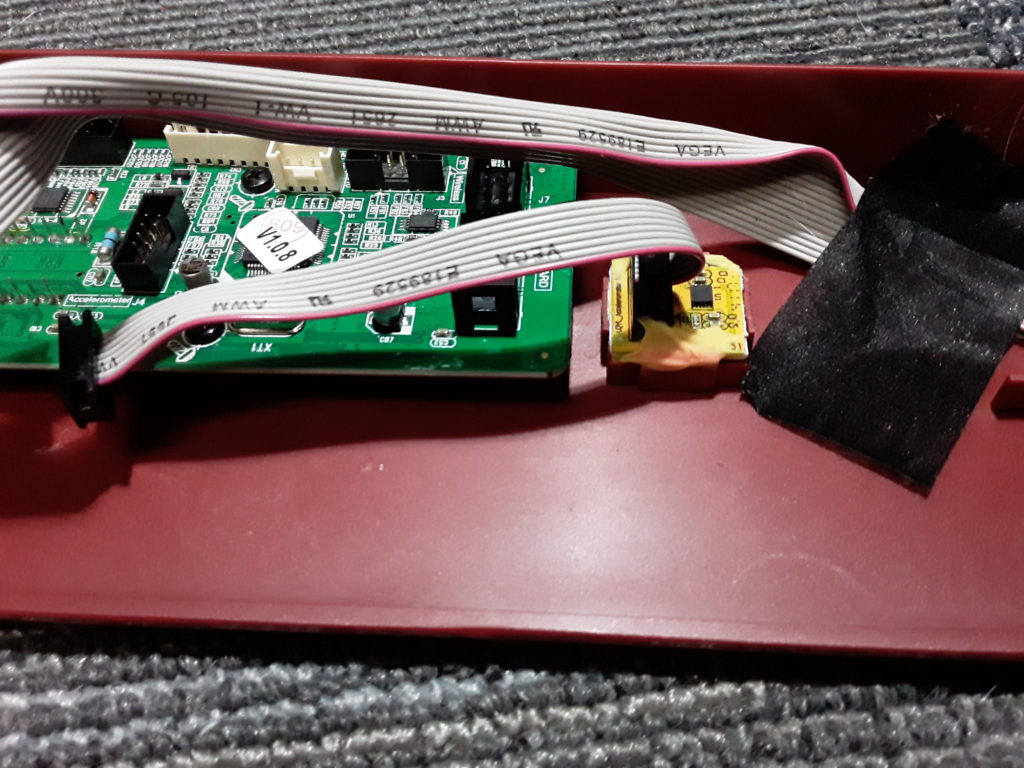
accelerometer 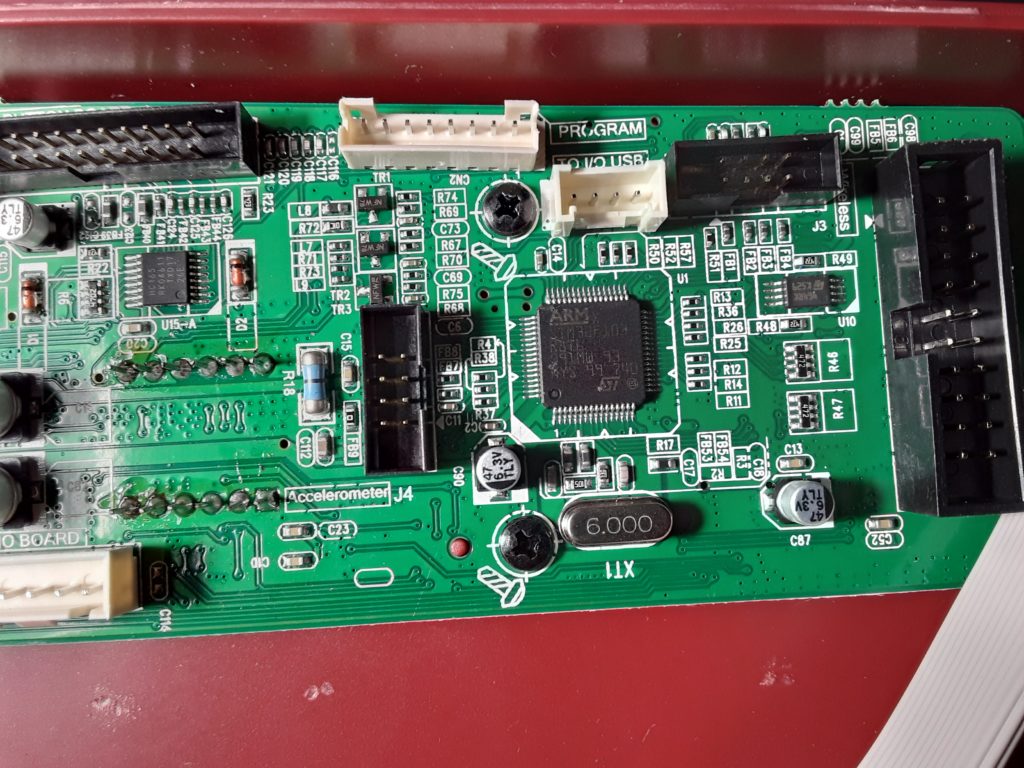
MCU on the main board, programming port is the white 8-pin header at the top 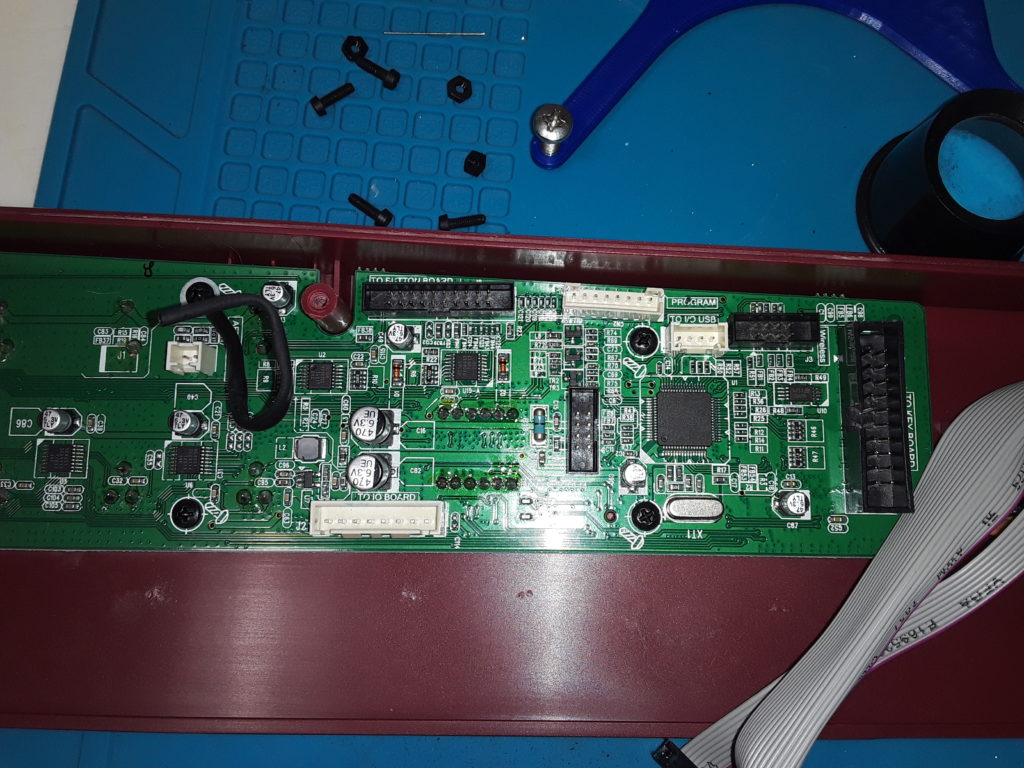
most of the main PCB -
Post Knobcon Recap
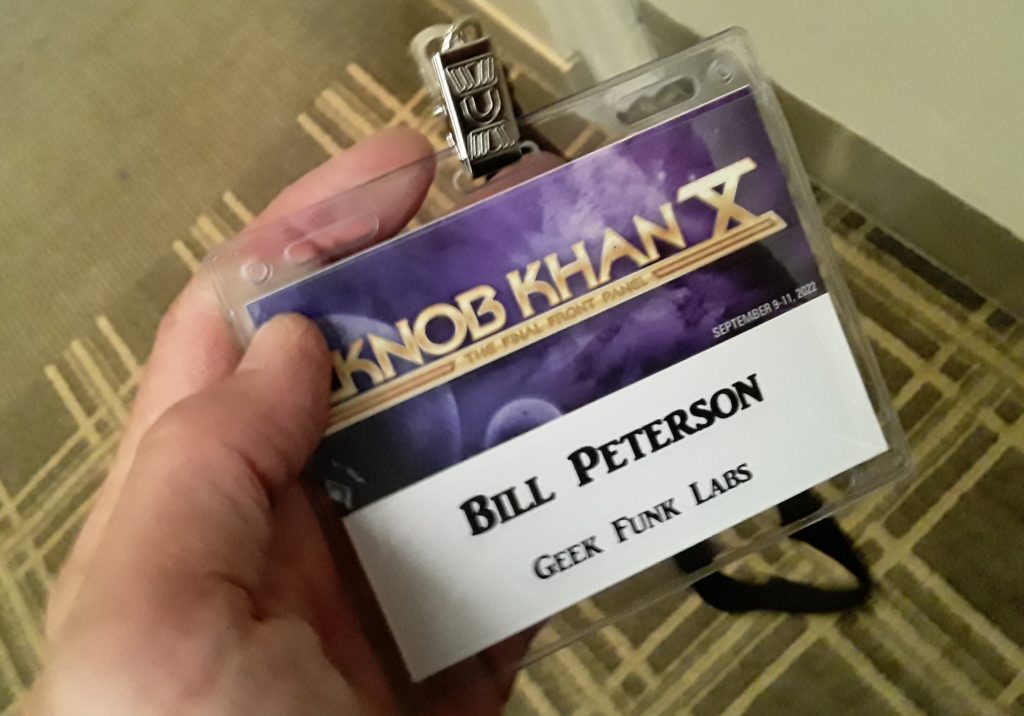
It was an interesting three days at Knobcon. I played with a lot of different gear, learned some stuff, saw some cool performances, met lots of people. Everyone I talked to was super friendly and relaxed, and willing to let me bombard them with questions about their gear or their business. I was surprised to meet a lot of exhibitors there who are just one-person operations like me – some who have designed small DIY gadgets like the SquishBox, and some who are putting out pro-grade synth modules and keyboards. It’s surprising how far you can go on your own.
Performances: The Friday Night reception had a bunch of great acts. The highlight for me was Too Mere playing the Synthstrom Deluge – he played it handheld rather than hunched over it on a table, and his dancing around while he poked all those flashy buttons and morphed from one beat to the next made for an entertaining show. The other acts were a good opener for the weekend too, and after meeting with some people and chatting I found myself just leaning back in a contented zen state watching the video effects and letting the synth textures wash through my head. Saturday night’s shows gave me more synth to enjoy. I had a good time watching the Supper Club jam in the pavilion, seeing musicians jam out some more old-school funk tunes like I’m used to, with a mix of synth and non-synth instruments.
Workshops: I went to a lot of these. Scott Danesi took us through his journey of creating a modern custom pinball machine with a kickin’ synth soundtrack, and it made obvious the shared skills and DNA of a project like this and what goes into creating synths and music gear. Mike Beauchamp from Therevox shared a history of the Ondes Martneot, a vintage monophonic synth that uses a string-operated potentiometer to set note frequency, and his quest to recreate it in modern form. Marc Doty gave a history of polyphony in synthesizers, ostensibly focused on how we should think about the definition of certain synth terms, but really I think a discussion of what a synthesizer should do. How should we control it? How should it reproduce notes and be able to articulate them?
I think the big takeaway for me from the weekend was that I am a huge noob when it comes to synths. This wasn’t news to me, but although I conceptually understand how something like a rackmount synth or a Minimoog works, the complexity of the actual things are mind-boggling, and it’s impressive to see what a huge community of musicians there is that’s into them. Then there’s the proliferation of grooveboxes, samplers, video effects – it’s amazing to see the different ways people make music.
It also makes me think about my place in all of it. I’m interested in the theory of synthesis, and might even pick up some kind of all-in-one modeling synth keyboard to play around with at some future point, but I don’t plan to get heavy into analog synthesizers, constructing new sounds from raw oscillations and using them in my music. I’ve always enjoyed software synths and MIDI, and I feel like with a software synth you have the flexibility and versatility to create some truly amazing sounds, even though the oscillations aren’t “pure” as they are in analog electronics. Also, I want my sounds to be free of a specific gadget, to be expressible as ones and zeros of a sample or code. That’s why I made the SquishBox – it’s a software synth in a box, but the same code can run on a desktop machine in different OSes and produce the same sound. Maybe there’s room for a soundfonts talk at a future Knobcon?
-
Heading to Knobcon 10
I’m heading to Knobcon for the first time this weekend, right next door in Chicago. No booth or anything (maybe next year?), just out to meet people, sit in some workshops and learn things, and check out some crazy synth gear!

-
Lesson Videos – End in Sight
Just posted video lesson 6! These take me a long time to finish for some reason, but I’ve got the plan for lessons 7-9 in my head so the end is in sight! It’ll feel good to have the lesson series complete. Go check out the latest installment below.
-
SquishBox PCB Update
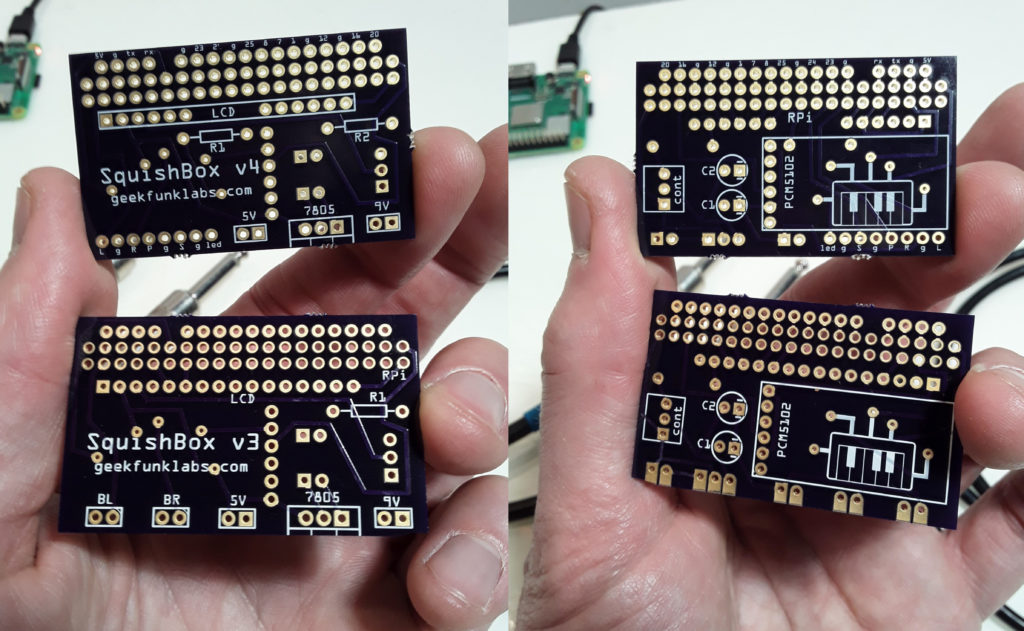
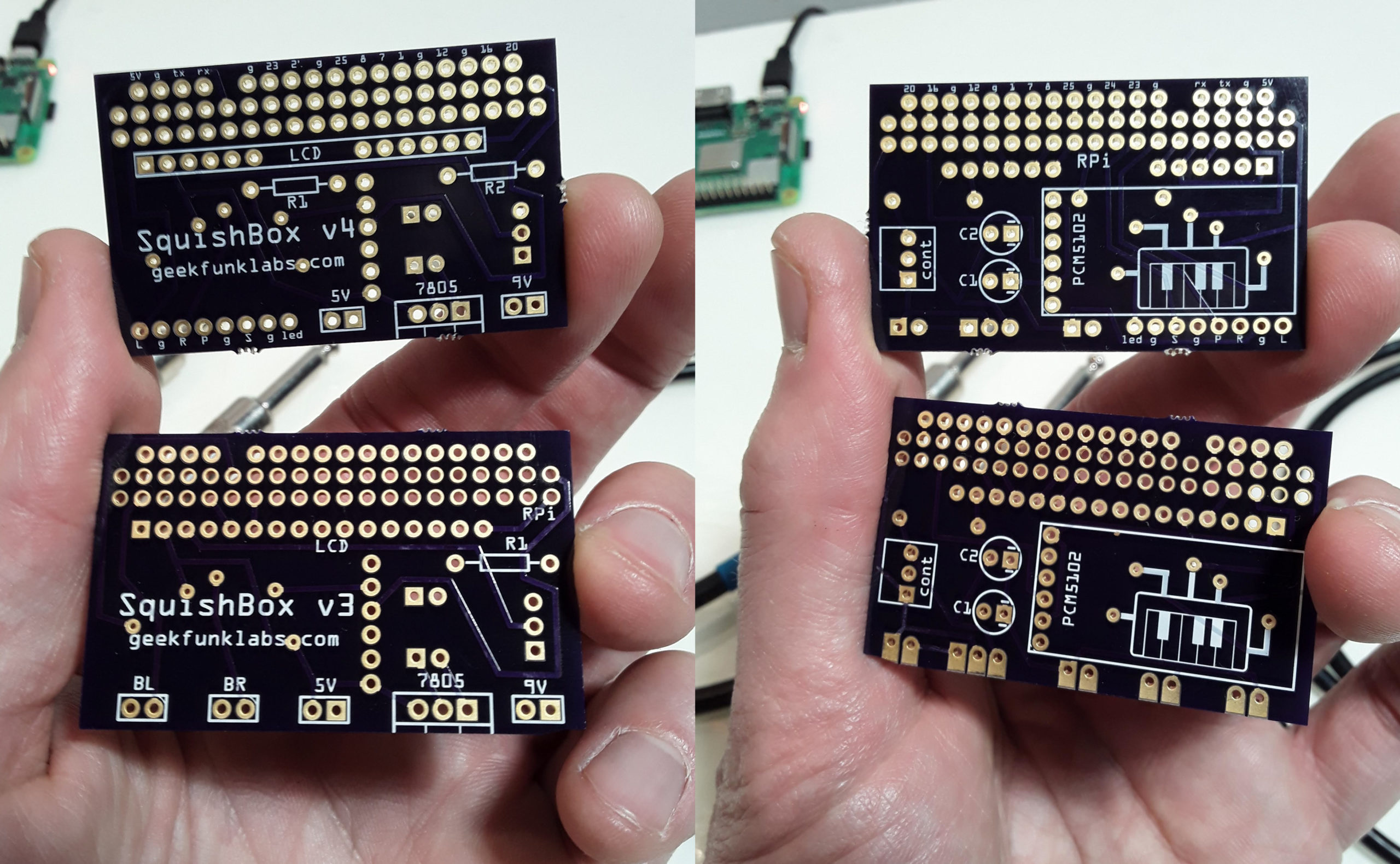
I’ve been working on an update to the SquishBox that uses a rotary encoder instead of two buttons to switch patches, open menus, etc. One stompbutton remains, but is instead sends a MIDI message that can be routed to any function desired depending on the patch/bank settings. I’ve also added a status LED that can be switched on/off by a router rule. I’ve modified the PCB with a row of pads to allow these connections. The picture above shows my last v3 PCB alongside the newer version. I’ll be updating the assembly instructions to reflect the new PCB, and the newer version of the SquishBox will be available in the Tindie store soon. The pinout of the new input bus is:
Pin GPIO Description L 2 left rotary encoder pin g ground for rotary encoder R 3 right rotary encoder pin P 27 pushbutton for the rotary encoder g ground for the stompswitch S 22 stompswitch input g LED cathode pin led 10 LED anode pin (connected through R1 resistor) Since the input pins are connected to GPIO, the PCB can still be used to build a SquishBox with two left and right stompswitches, as long as the BTN_L and BTN_R values are set to the correct GPIO in hw_overlay.py.
The new PCBs are also available direct from OSHPark.
-
FluidPatcher Power Up
I was poking around in the Fluidsynth code as a result of trying to figure out a slick way to monitor MIDI messages and realized I could get FS to call my own custom python function to handle MIDI events, and do whatever I want to them and pass them on to the synth as needed. What does this mean? It means I can expand router rules to translate from one type of message to another, so if I want to make aftertouch affect a control change like filter cutoff, no problem! It also means I can throw midi events at my own callback to handle things like changing patches, tweaking reverb/effect settings, etc. – so I don’t have to rely on messily keeping track of CCLinks and polling CC values constantly.
I’m not noticing any increase in latency whatsoever with my python callback function – so I think this is going in the next update. This will be a bit of a breaking change, since the
cclinkskeyword in bank files will go away. Router rules will now have an optionaltargetparameter, which can be another Fluidsynth rule type, orfluidsetting,effect, or some arbitrary name that gets handled by the specific patcher implementation, plus an arbitrary number of extra parameters that get passed as needed. If I’m a good boy and can figure out a way to do it cleanly, I’ll add a hack that translates cclinks keywords into the appropriate router rule. -
New Lesson Video!
A third video in the FluidPatcher lesson series is up! This one is all about using control change messages to their maximum capability. As usual, creating these lesson videos prompts me to make some updates, add features, and of course find and fix sneaky bugs – so make sure to run the update script!